Thameur Portfolio
Advanced AI Web Scraper 🕷️
June 15, 2024 (2y ago)
🚀 An intelligent web scraping application that combines automated web scraping with AI-powered data extraction.
💻 Source Code •
🌐 Demo •
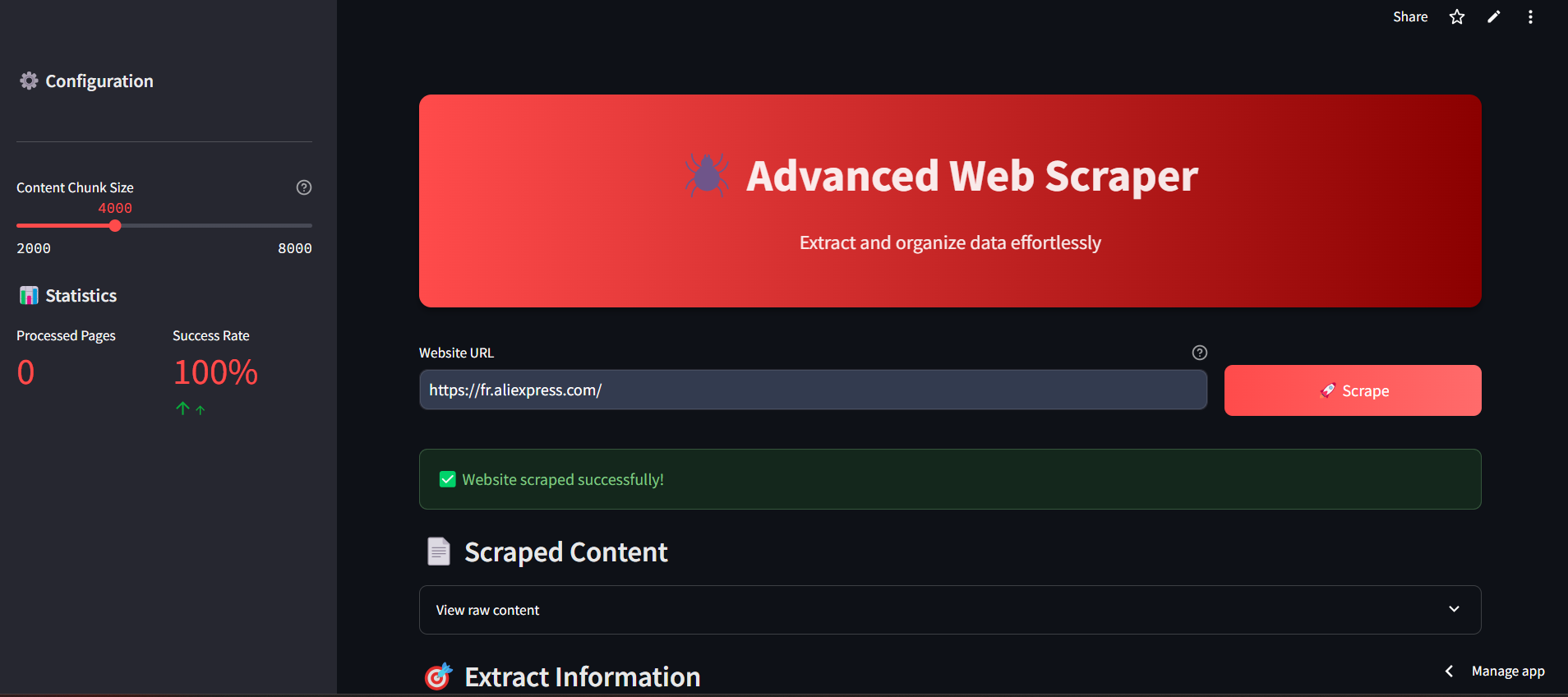
Advanced AI Web Scraper: Intelligent Data Extraction
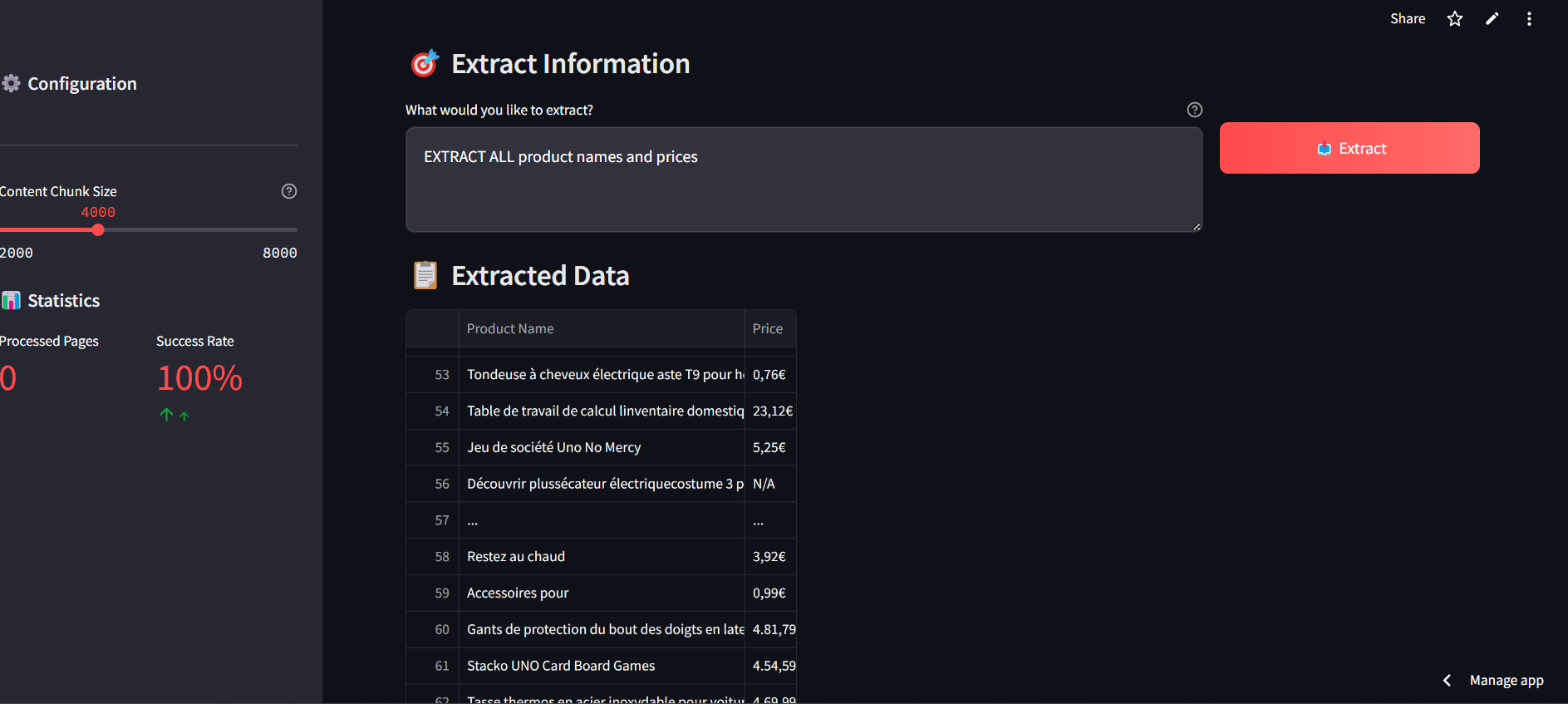
Advanced AI Web Scraper: Intelligent Data Extraction
📌 Abstract
Advanced AI Web Scraper is an intelligent web scraping tool built with Streamlit. It uses Selenium for web scraping, Groq LLM for AI-powered data parsing, and provides a modern user-friendly interface. The application extracts structured data from websites efficiently while handling CAPTCHAs, dynamic content, and unwanted elements.
🌟 Features
- Intelligent Scraping: Automatically handles CAPTCHAs and dynamic content.
- AI-Powered Data Extraction: Uses Groq LLM for parsing and structuring data.
- Clean Interface: Modern, responsive UI with dark theme optimization.
- Parallel Processing: Handles large content through parallel chunk processing.
- Smart Content Cleaning: Removes tracking elements, ads, and unwanted content.
- Structured Output: Presents data in clean, organized tables.
🚀 Getting Started
Prerequisites
- Python 3.8+
- A Groq API key
- A Bright Data Scraping Browser account
Installation
- Clone the repository:
git clone https://github.com/verus56/advanced-web-scraper.git
cd advanced-web-scraper
- Install required dependencies:
pip install -r requirements.txt
- Set up environment variables:
Create a .env file in the root directory and add:
AUTH=your-bright-data-auth
GROQ_API_KEY=your-groq-api-key
Running the App
streamlit run app.py
Visit http://localhost:8501 to access the application.
🤖 How It Works
- Enter the URL of the target website.
- Specify the type of data you want to extract.
- Scrape and parse the data with intelligent AI support.
- Export structured data in your preferred format.
📊 Technical Stack
- Frontend: Streamlit
- Web Scraping: Selenium
- AI Engine: Groq LLM
- Data Processing: Pandas
- Content Cleaning: BeautifulSoup
- Parallelization: concurrent.futures
🛠️ Deployment
- Docker:
docker build -t advanced-scraper:latest .
docker run -d -p 8501:8501 advanced-scraper:latest
- Cloud options: AWS, GCP, Azure
📅 Configuration
- Content Chunk Size: Adjust the size of content chunks for processing (2000-8000 characters).
- Parallel Processing: Controls the number of concurrent processes.
- Browser Options: Configurable through Selenium settings.
🔒 Security Features
- Automatic CAPTCHA handling.
- Cookie and tracking prevention.
- JavaScript blocking options.
- Secure API key management.
🎨 UI Features
- Dark theme optimization.
- Responsive design.
- Progress indicators.
- Expandable content sections.
- Error handling with visual feedback.
- Interactive data tables.
🔧 Advanced Features
Content Cleaning
- Removes tracking elements.
- Filters unwanted content.
- Preserves semantic structure.
- Handles dynamic content.
Data Processing
- Parallel chunk processing.
- Intelligent merging.
- Duplicate removal.
- Table structure preservation.
📝 License
Released under the MIT License.
📲 Contact
Made with ❤️ by v56
- GitHub: YourUsername
- Email: thameurhamzaoui9@gmail.com